Running it the first time
You do this once. After that, PrettyMD opens like any other app.
1
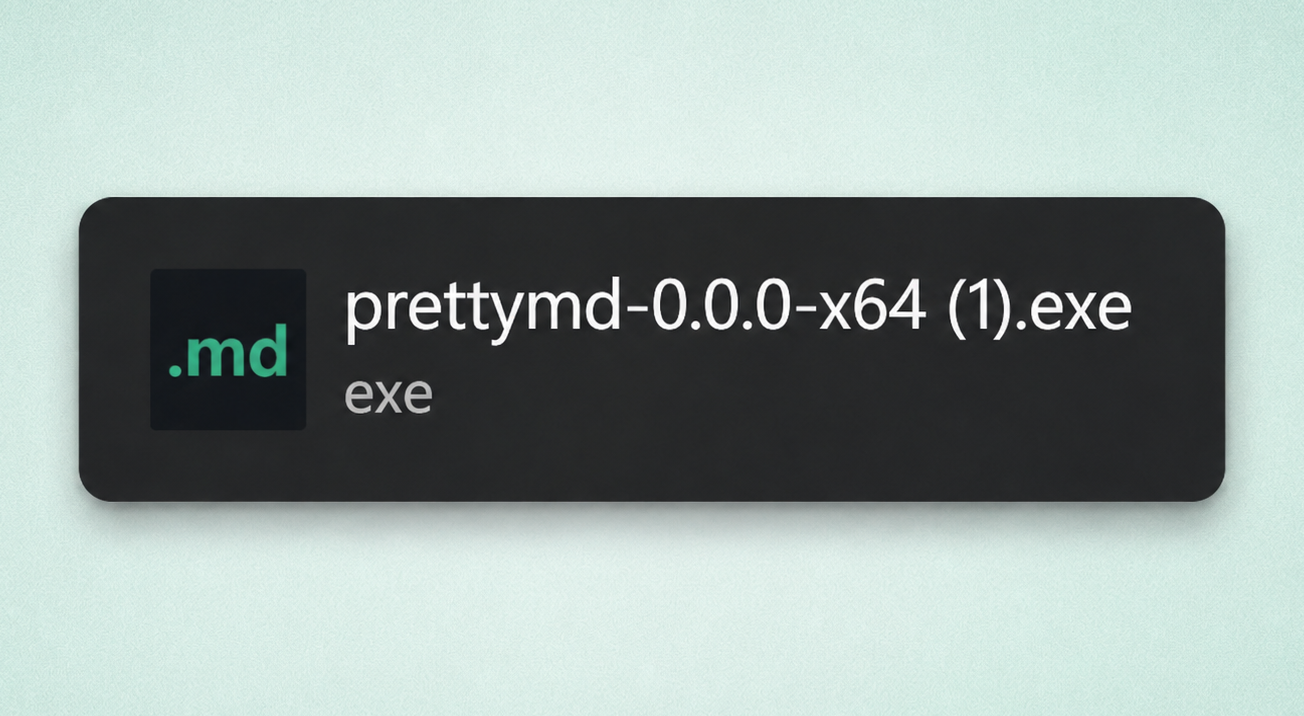
Run the installer
Double-click the PrettyMD installer you just downloaded.
2
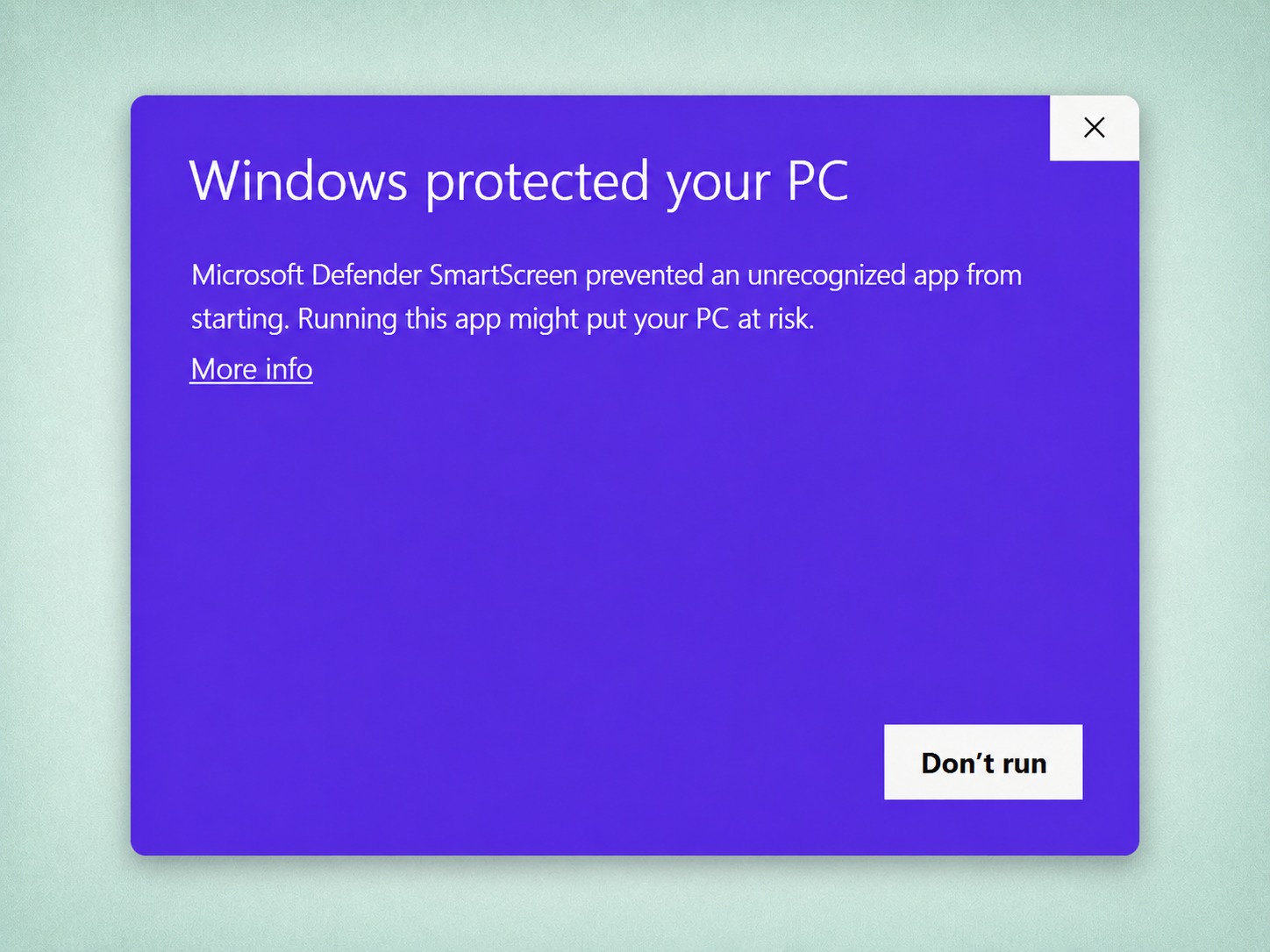
Click “More info”
Windows shows a blue “Windows protected your PC” screen. Click the small More info link — it's easy to miss.
3
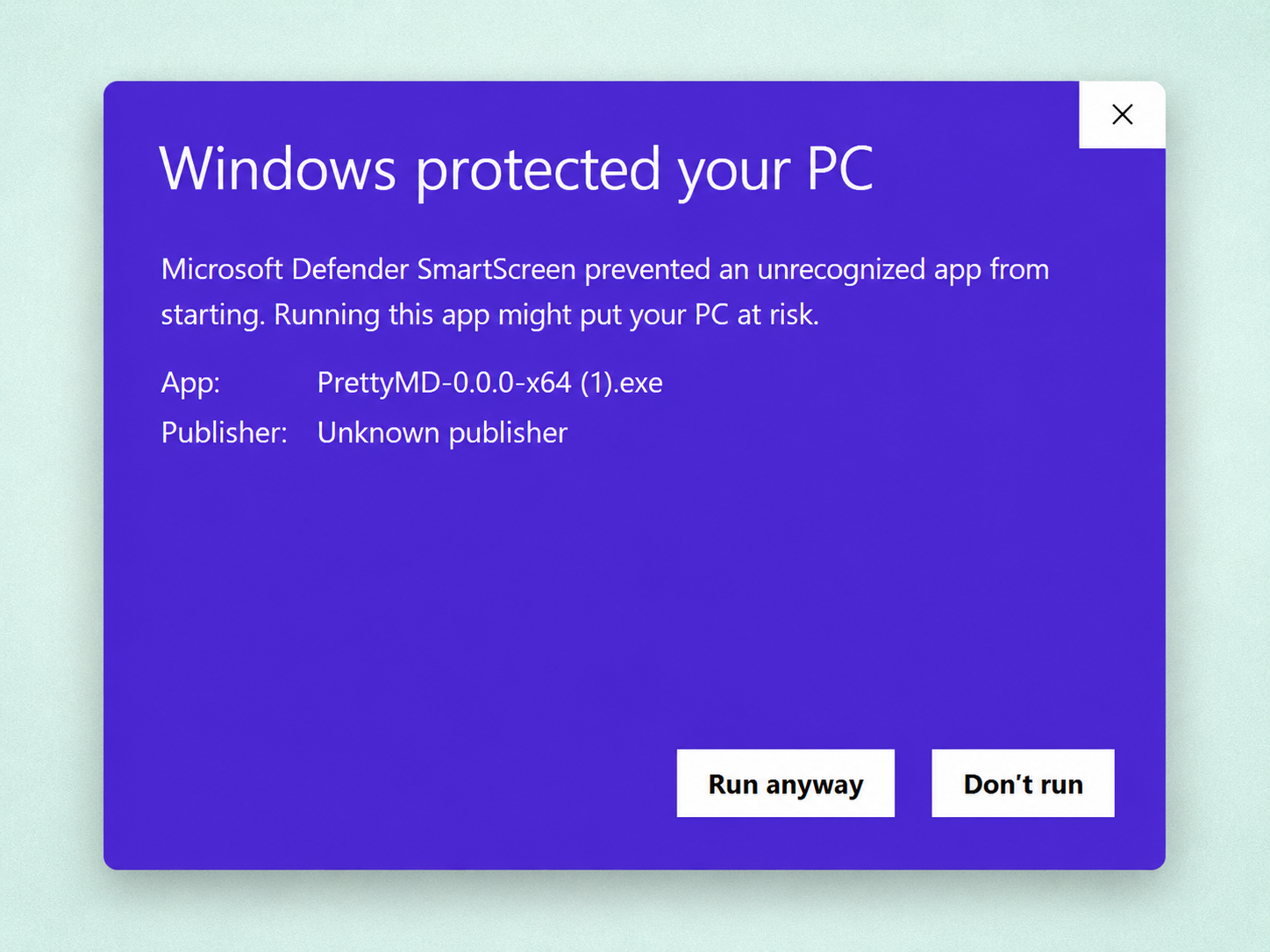
Click “Run anyway”
A Run anyway button appears. Click it — PrettyMD installs normally, and Windows won't ask again.
SmartScreen is Microsoft's own feature — learn what it does ↗